Teaching is one of those jobs where the actual teaching — the part you got into the profession for — is often the smallest slice of your day. Between grading papers, tracking attendance, chasing down missing assignments, and answering emails, the administrative work piles up fast.
We hear it constantly from the instructors we work with: "I didn't become an instructor to do data entry."
An LMS won't eliminate all of that. But a well-designed one can cut hours off your weekly workload by handling the repetitive tasks that don't require your professional judgment. Here are five specific ways — with real time estimates — that NimbusLearn gives instructors their time back.
1. Automated Quiz Grading
Time saved: ~2-3 hours per week
Think about the last time you gave a multiple-choice quiz to four sections of 25 students. That's 100 papers to grade. Even at two minutes per paper — scanning answers, marking wrong ones, tallying scores, recording grades — you're looking at over three hours of work. For a quiz you probably wrote in 20 minutes.
With NimbusLearn, you create the quiz once, set the correct answers, and the platform grades every submission the moment a student hits "Submit." Scores appear instantly in the gradebook. Students see their results right away. You spend zero minutes grading.
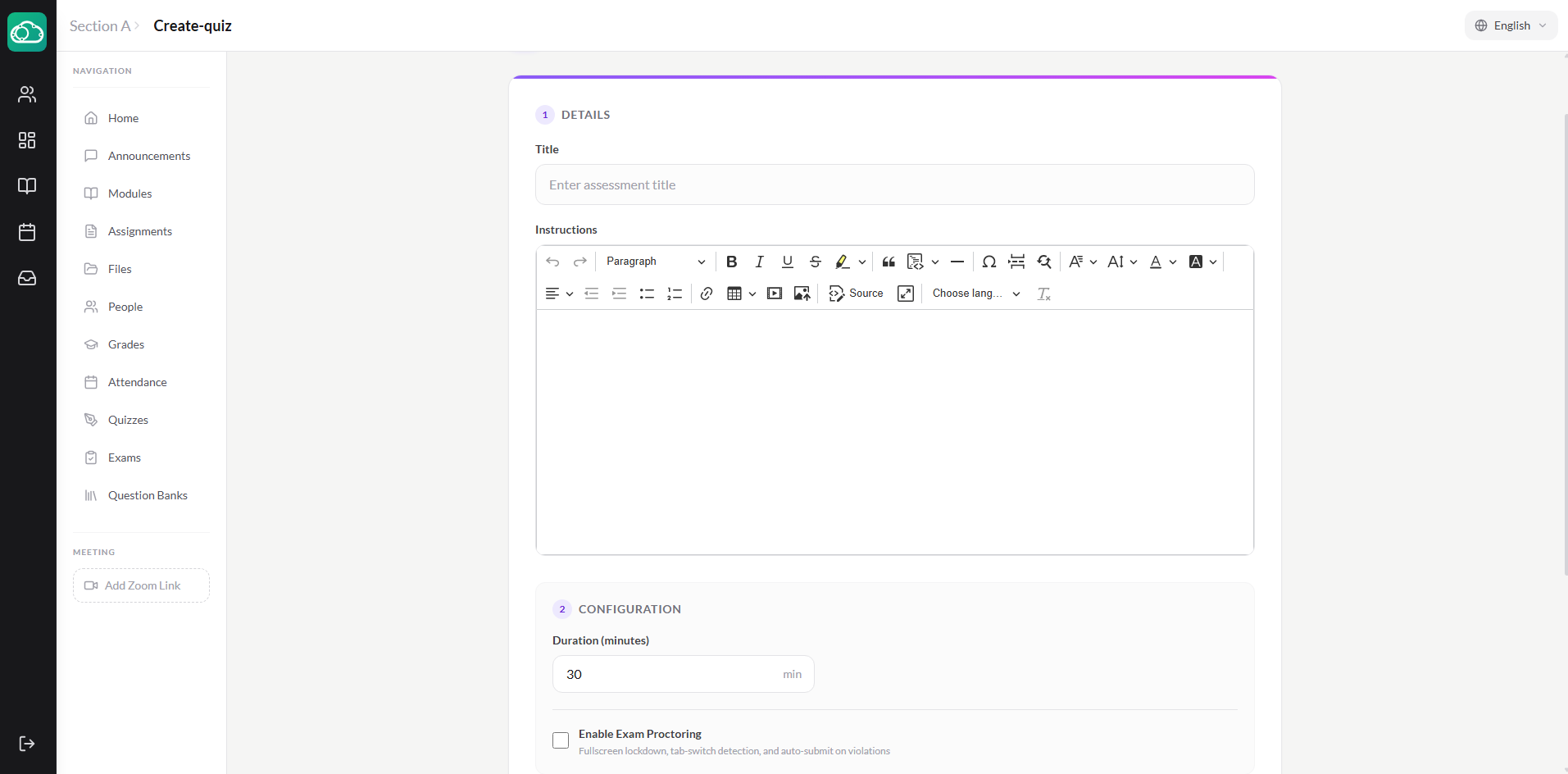
This isn't just about speed — it's about consistency too. Every student's quiz is graded by the same criteria. No accidental miscounts, no "did I already grade this one?" moments at 10 PM.
Tip: Use the quiz analytics to spot questions where most students got the answer wrong. It's a quick signal that the concept might need revisiting in class — and you get that data automatically, no spreadsheet required.
2. SpeedGrader for Written Assignments
Time saved: ~1-2 hours per assignment batch
Quizzes are one thing — essays and written assignments are where grading time really explodes. You can't auto-grade a paragraph about the causes of World War I. You need to read it, evaluate it, and give feedback.
What you don't need to do is spend time shuffling papers, flipping to the rubric, finding your red pen, writing the same feedback on 15 different papers, and then manually typing every grade into a spreadsheet.
SpeedGrader puts the student's submission on one side of the screen and your grading tools on the other. Read the submission, annotate a PDF, add a comment, assign a score, and click "Next." The grade saves automatically to the gradebook. No paper. No spreadsheet. No context-switching. You can even use AI-assisted grading to get a suggested grade and speed things up further.
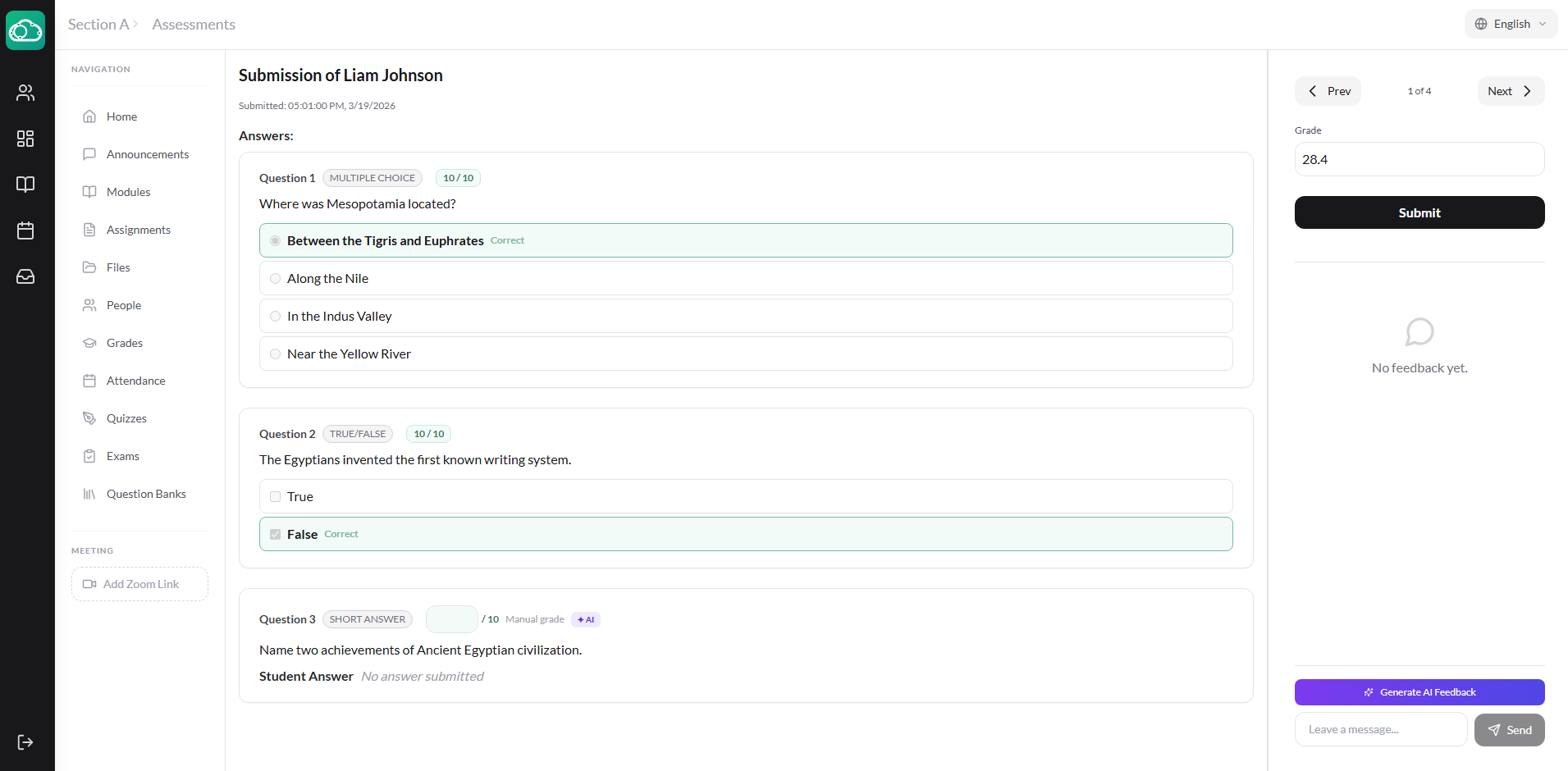
An instructor we work with in Amman told us she used to spend her entire Sunday grading a class set of 28 essays. With SpeedGrader, she finishes during her free period on Monday. Same quality of feedback — just less wasted motion.
3. One-Tap Attendance
Time saved: ~15-20 minutes per day
It sounds small, but think about it across a full week. If you teach five periods a day and spend three to four minutes each period taking attendance — calling names, waiting for responses, marking a sheet, dealing with latecomers — that's 15-20 minutes every day spent on roll call. Over a 180-day school year, that's roughly 50 hours.
Fifty hours of "Ahmed?" ... "Here." ... "Fatima?" ... "Here."
NimbusLearn's attendance screen shows your class roster for the day. Click "Mark All Present" to start, then adjust the few students who are absent or late. Click "Save All" and you're done in 30 seconds. The data feeds into the gradebook (if attendance grading is enabled) and into reports that the admin office can pull anytime.
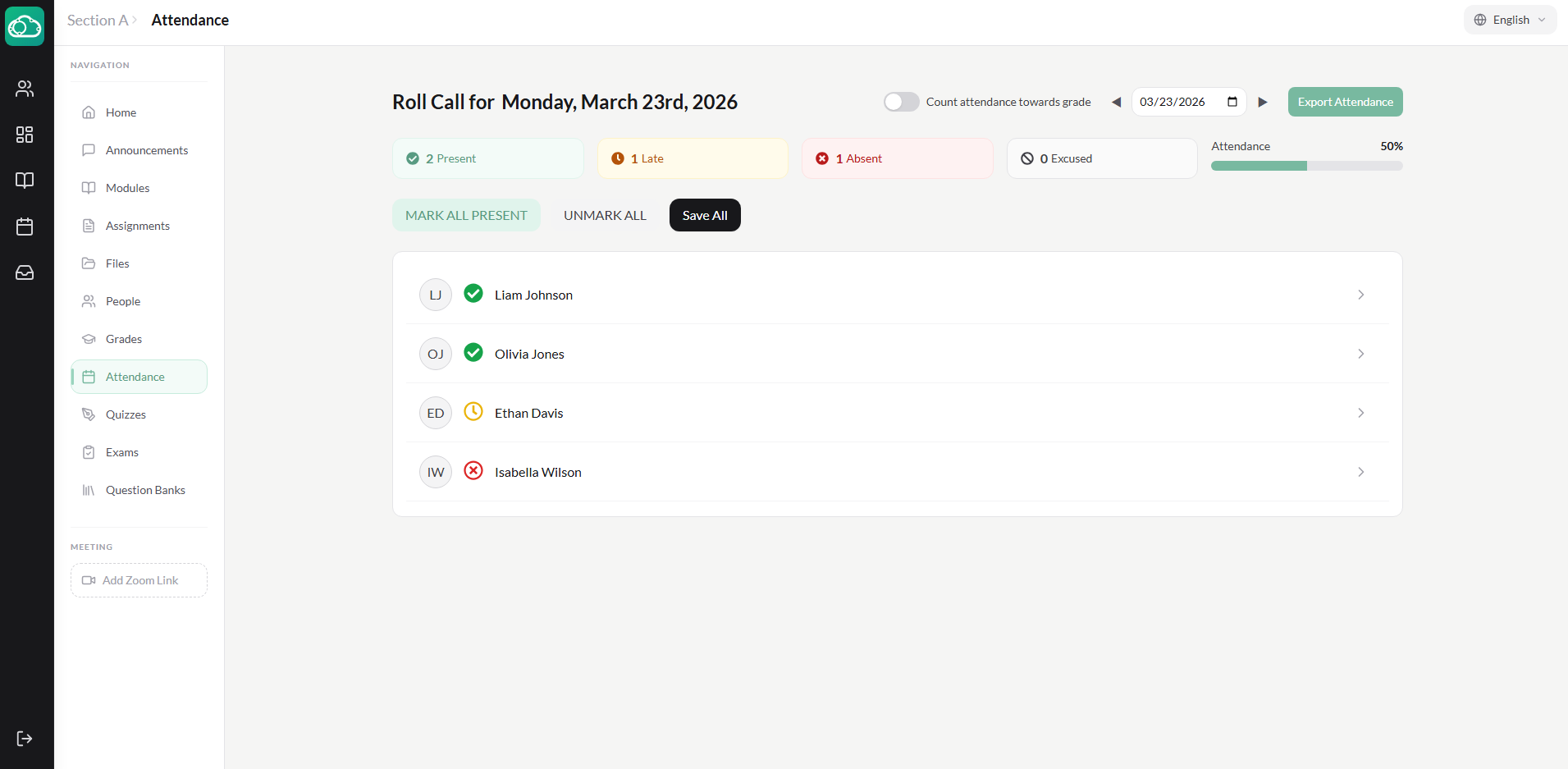
Bonus: Because attendance is digital, you'll never have to deal with "I lost the attendance sheet" again. And administrators can check attendance rates across the school without collecting papers from every instructor.
4. Digital Assignment Submission
Time saved: ~1 hour per week
Paper-based assignments come with a surprising amount of hidden overhead. Students submit late and claim they turned it in on time. Papers get lost in the shuffle between your desk and home. You can't grade at home because the papers are at school (or vice versa). Someone hands you a crumpled page torn from a notebook and you try to decipher handwriting that would challenge a forensic analyst.
When assignments are submitted digitally through NimbusLearn, every submission is timestamped. You can see exactly when each student turned it in. Late submissions are automatically flagged. Nothing gets lost. And you can grade from anywhere — your classroom, your couch, your phone during a commute.
There's also a subtler benefit: no more "but I gave it to you!" conversations. The system either has a submission or it doesn't. The timestamp doesn't lie. That alone saves instructors a surprising amount of back-and-forth with students.
5. Built-In Messaging
Time saved: ~30-45 minutes per day
If you're an instructor right now, chances are you communicate with students through multiple channels: the school's email system, a WhatsApp group, maybe direct SMS. You end up checking multiple apps throughout the day, sometimes re-sending the same message in different places.
NimbusLearn has built-in messaging that lives right inside the platform. Send a message to a student or your entire section. They'll get a notification in the app. Everything is in one place — conversations are threaded, searchable, and you can star or archive them to stay organized.
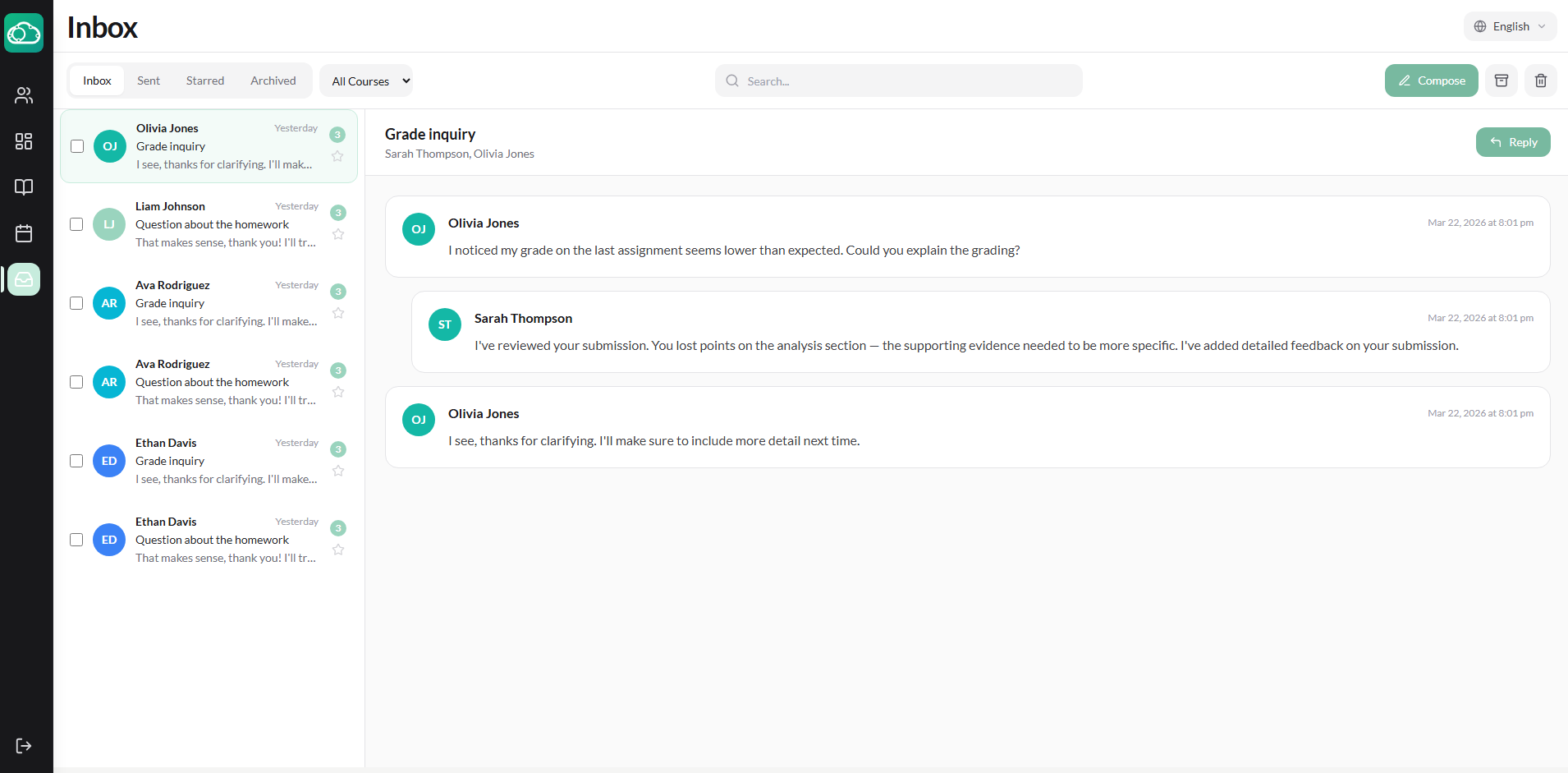
No more copying messages between apps. One channel, searchable if you ever need to go back and find what was discussed.
The Math Adds Up
Let's be conservative and tally the low end of these estimates:
- Automated quiz grading: 2 hours/week
- SpeedGrader: 1 hour/week
- One-tap attendance: 1.5 hours/week
- Digital submissions: 1 hour/week
- Built-in messaging: 2.5 hours/week
That's roughly 8 hours a week — an entire workday — reclaimed from administrative tasks. Time that goes back into lesson planning, one-on-one student support, or simply getting home at a reasonable hour.
None of these features are revolutionary on their own. But combined into a single platform that's easy to use, they fundamentally change what an instructor's week looks like. Less paper, less app-switching, less repetition — more teaching.
If you're curious what your specific time savings might look like, reach out to us for a walkthrough. We'll show you exactly how NimbusLearn handles the workflows you spend the most time on today.